Log in
Get started
Download
Pricing
Save every tab.
Find any link in seconds.
A bookmark manager with an extension to save and
auto-organize tabs, then search from your address bar.
Add to Chrome
Add to Firefox
Built for people
who save
A LOT
GitHub repos
Design Inspiration
Research papers
Articles
Open-source projects
Courses
Tutorials
Case studies
Industry reports
How-to guides
GitHub repos
Design Inspiration
Research papers
Articles
Open-source projects
Courses
Tutorials
Case studies
Industry reports
How-to guides
Recipes
Travel ideas
Gift ideas
Portfolios
UI References
Youtube videos
Brand inspiration
Motion references
Wishlists
Places to visit
Recipes
Travel ideas
Gift ideas
Portfolios
UI References
Youtube videos
Brand inspiration
Motion references
Wishlists
Places to visit
Newsletters
Photography
Figma files
Reading lists
Stack overflow
Icon libraries
Moodboards
Market research
Workout routines
Fonts
Newsletters
Photography
Figma files
Reading lists
Stack overflow
Icon libraries
Moodboards
Market research
Workout routines
Fonts
01 / EFFORTLESS SAVING
Save more. Organize less.
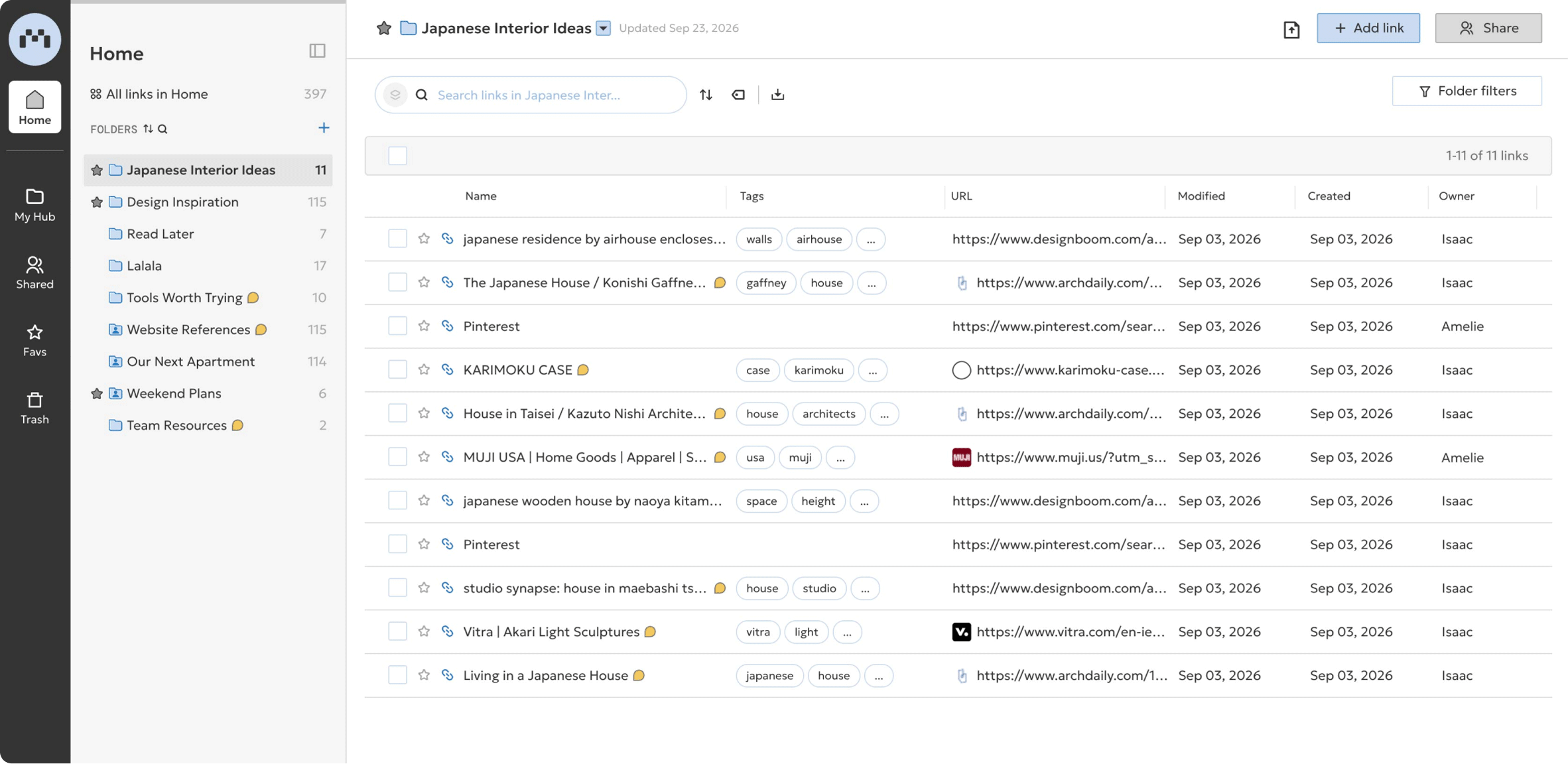
Save open tabs in one click. Magnet organizes them automatically, so they’re ready when you need them.
Your browser does not support the video tag.
1
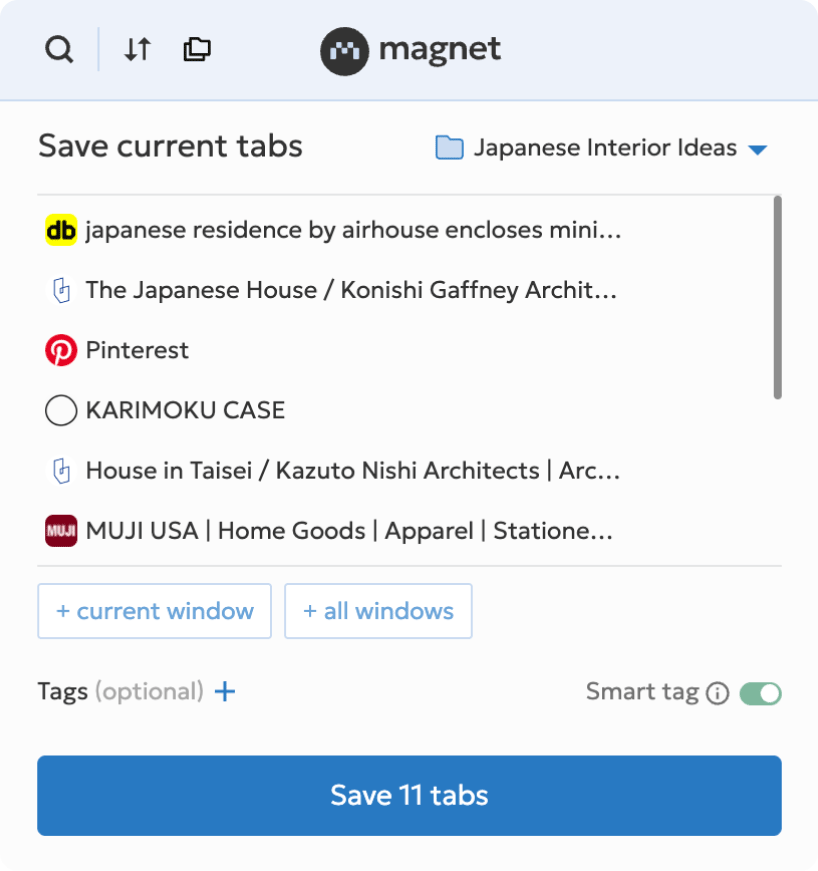
Save all your tabs at once
Save an entire window directly into a folder with one click.
Fast, even in bulk
Save hundreds of tabs without waiting for previews.
Choose what you save
Save the entire window or select only the tabs you need.
Save together. Reopen together.
Keep tab groups organized. Reopen a folder in one go.
2
Let Magnet organize the rest
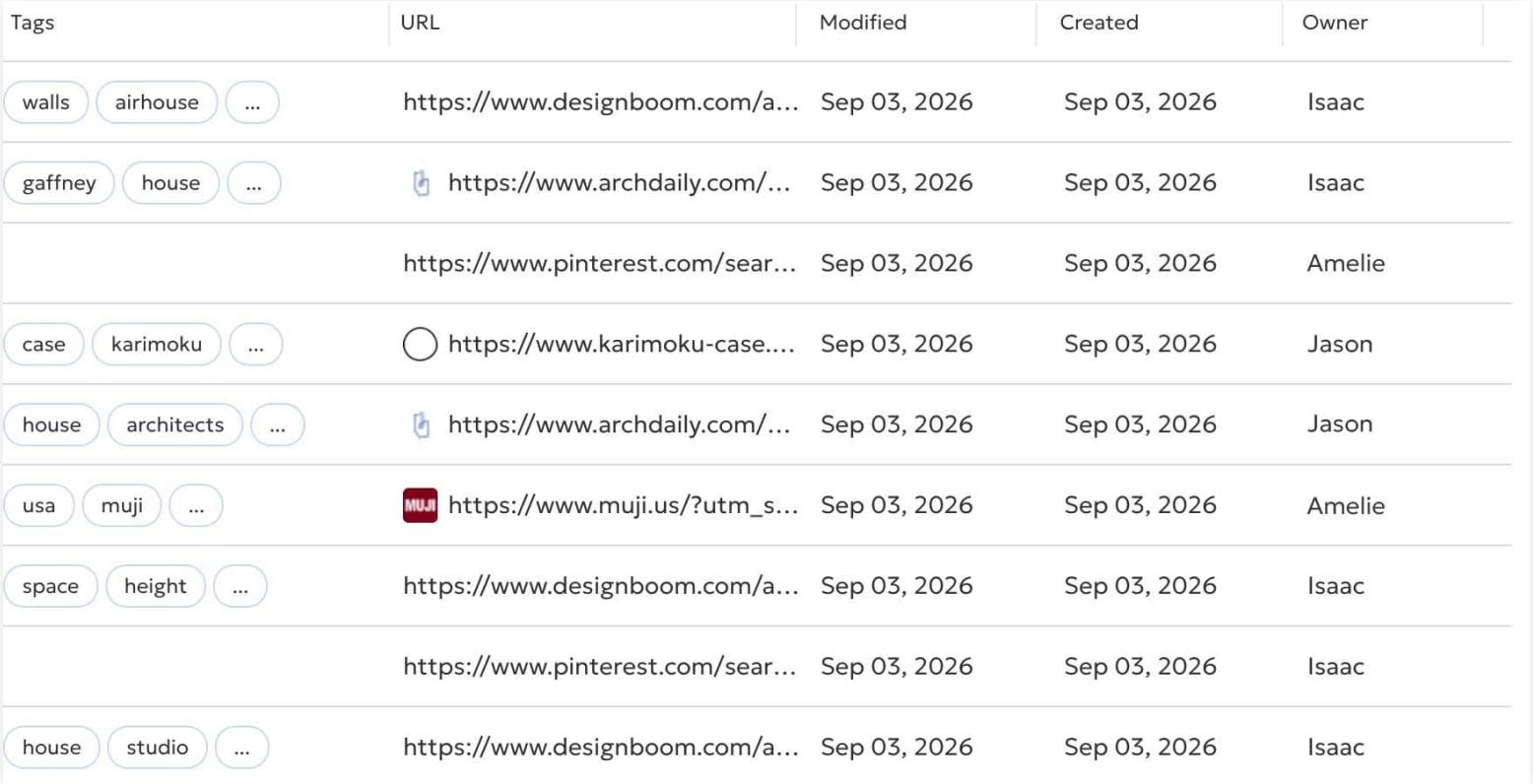
Every saved link gets the context you’ll need to find it later.
Smart Tags, automatically
Relevant topics are added without any manual labeling.
Edit whenever you need
Rename links or adjust their tags.
Smart Rules
Automatically organize links with folder-specific rules.
Your browser does not support the video tag.
02 / POWERFUL SEARCH
Find
ANYTHING
12,483 links. Find the one you barely remember.
Your browser does not support the video tag.
Search from your address bar
Type
mn
, press
Tab
, then search your saved links.
mn
— Search your Magnet library
A few keys. Everything within reach.
Use address bar commands to jump straight to what you need.
o?
— Open a folder’s links
f?
— Open filtered links
t?
— Search open tabs
SEARCH BEYOND THE TITLE
STANDARD SEARCH
Find links by title, URL, description, or tags.
FULL-TEXT SEARCH
pro
Remember a phrase? Magnet searches the full content of your saved pages.
CONTEXT SEARCH
pro
Find links using details you remember, even if they weren’t part of the page.
03 / SHARED SPACES
Collect links together
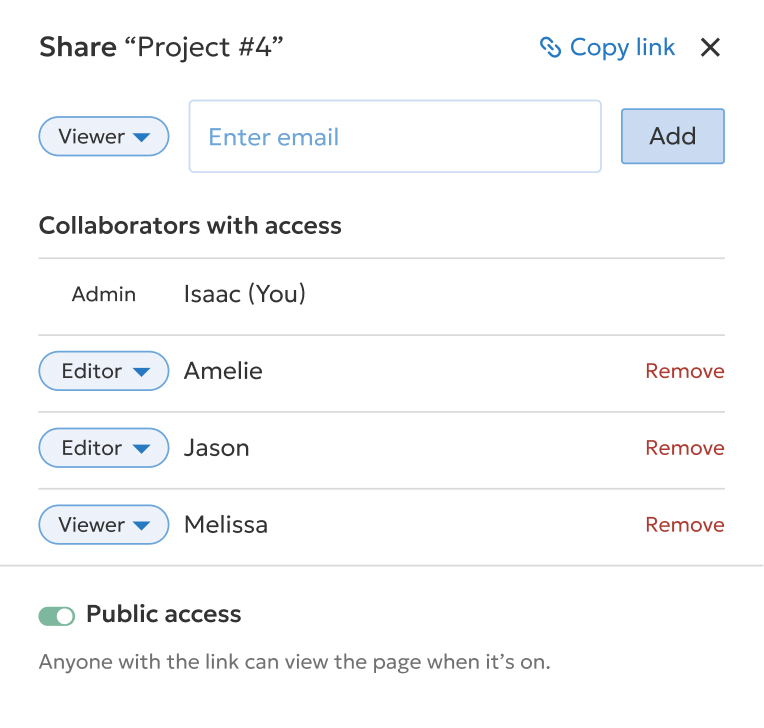
One shared space to collect, organize, and keep everyone on the same page.
Roles & Permissions
Control who can view, add, or manage links.
Public Links
Turn any folder into a public, shareable page.
Comments
Add notes and context to any shared link.
Frequently asked questions
Is Magnet free to use?
−
Yes. Magnet includes a free plan for saving, organizing, and finding your links. Upgrade for unlimited storage and advanced features.
Which browsers does Magnet support?
+
Can I import my existing bookmarks?
+
How do Smart Tags work?
+
Why doesn’t Magnet use thumbnail previews?
+
Is my data private?
+
What is the difference between Standard, Full-Text, and Context Search?
+
What are Smart Rules?
+
Can I collaborate or share my collections with others?
+
How do I search directly from my browser address bar?
+
Can I create subfolders or nested collections?
+
How does the extension save multiple tabs at once?
+
What happens to links I delete?
+
What happens when I copy a collection?
+
More room to think. Every tab saved.
Your data is yours. No ads or trackers.
Get started